
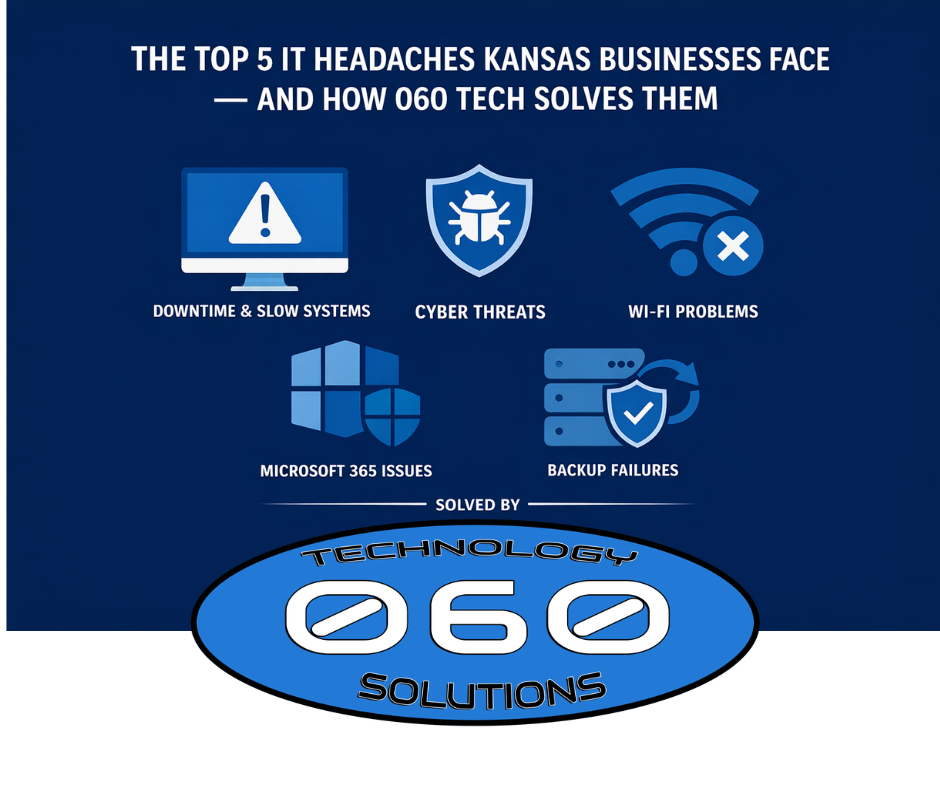

Running a business in Kansas is challenging enough without constant technology issues. However, many organizations still fight the same five IT headaches: downtime, cyber threats, unreliable Wi‑Fi, messy Microsoft 365, and weak backups. Consequently, productivity drops, customers wait, and costs rise.
This guide explains the top five IT headaches we see across Wichita and South‑Central Kansas — and how 060 Technology Solutions solves them quickly and affordably.
Ready for fewer headaches? Visit https://060tech.com/ or explore our Managed IT Services: https://060tech.com/managed-it-services/
1) Unplanned Downtime and Slow Systems
The headache: Systems freeze, apps crawl, and outages appear with no warning. As a result, staff lose hours and customers get frustrated.
Why it happens: Aging hardware, missed patches, failing disks, and resource spikes. Without proactive monitoring, you only discover issues after they break.
How 060 Tech solves it:
- 24/7 monitoring for servers, PCs, and critical services
- Scheduled patching and maintenance windows
- Hardware lifecycle planning and right‑sizing
- Fast, friendly help desk that resolves most tickets remotely
Why this matters: Proactive IT monitoring reduces downtime and keeps operations stable. For best practices on resilience and patching, see CISA and Microsoft guidance:
- CISA Cybersecurity Best Practices — <https://www.cisa.gov/topics/cybersecurity-best-practices>
- Microsoft 365 Security Guidance — <https://learn.microsoft.com/microsoft-365/security/>
2) Rising Cybersecurity Threats (Phishing, Ransomware, Account Takeovers)
The headache: Suspicious emails, spoofed invoices, strange sign‑ins, and malware alerts. Moreover, cyber insurance requirements keep getting stricter.
Why it happens: Attackers target small and midsize businesses with phishing, password reuse, and unpatched systems. Without layered security and user training, the risk rises quickly.
How 060 Tech solves it:
- Endpoint protection (EDR/next‑gen AV) and email filtering
- MFA setup and enforcement across Microsoft 365
- Security awareness training and phishing simulations
- Policy hardening (admin roles, mailbox rules, conditional access)
Authoritative references for your team:
- CISA “Stop Ransomware” — <https://www.cisa.gov/stopransomware>
- NIST Cybersecurity Framework — <https://www.nist.gov/cyberframework>
Want a simpler, safer setup? Our Managed IT Services bake in layered security: https://060tech.com/managed-it-services/
3) Unreliable Wi‑Fi and Network Drop‑Offs
The headache: Calls drop, Teams meetings stutter, and card readers time out. In addition, guest traffic sometimes slows the entire office.
Why it happens: Consumer‑grade gear, poor placement of access points, firmware gaps, and no VLAN or QoS configuration. As offices grow, the network needs to scale too.
How 060 Tech solves it:
- Business‑grade firewalls, switches, and Wi‑Fi with proper placement
- Firmware updates, security hardening, and segmented guest Wi‑Fi
- Bandwidth monitoring and QoS for voice/video apps
- VPN that’s secure and simple for remote users
Helpful guidance:
- Microsoft Secure Network & Identity — <https://learn.microsoft.com/microsoft-365/security/>
- CISA Infrastructure Security Tips — <https://www.cisa.gov/topics/cybersecurity-best-practices>
4) Messy Microsoft 365 (Accounts, Permissions, Teams/SharePoint)
The headache: New hires take too long to set up. Access is inconsistent. Shadow IT grows. Files live “everywhere,” and no one knows which Teams site is correct.
Why it happens: Without governance and lifecycle processes, tenants drift. As a result, permissions sprawl, sharing gets risky, and productivity suffers.
How 060 Tech solves it:
- Secure user lifecycle (joiner/mover/leaver) and role‑based access
- Teams/SharePoint structure with clear ownership and retention
- Mailbox hygiene (forwarding rules, anti‑phish, safe links/attachments)
- Tenant hardening and conditional access policies
Best‑practice resources:
- Microsoft 365 Security Center — <https://learn.microsoft.com/microsoft-365/security/>
- NIST Digital Identity Guidelines (MFA/strong auth) — <https://pages.nist.gov/800-63-3/sp800-63b.html>
5) Backups That “Run,” but Restores That Fail
The headache: Everyone assumes backups work — until a restore is needed. However, untested backups can be too old, incomplete, or corrupted.
Why it happens: No 3‑2‑1 design (three copies, two media, one offsite), missing immutable or offsite copies, and no scheduled test restores.
How 060 Tech solves it:
- 3‑2‑1 backup architecture with on‑site + cloud copies
- Regular test restores and documented recovery time objectives
- Image‑based backups for quick bare‑metal recovery
- Clear disaster recovery runbooks and drills
Authoritative reference:
- Azure Backup Overview — <https://learn.microsoft.com/azure/backup/backup-overview>
Why Kansas Businesses Choose 060 Technology Solutions
- Local, responsive help desk (Wichita & surrounding areas)
- Security‑first approach baked into every service
- Predictable monthly pricing instead of surprise repair bills
- Quarterly business reviews and an actionable IT roadmap
- Clear reporting on uptime, tickets, patches, and backups
See how our Managed IT Services reduce headaches and risk: https://060tech.com/managed-it-services/
Or start at our homepage: https://060tech.com/
Quick Self‑Check: How Many of These Apply?
- We’ve had recurring downtime or slow systems this quarter
- MFA is not enforced for all users and admins
- Our Wi‑Fi or VPN drops during busy hours
- Microsoft 365 permissions feel messy or unclear
- We have backups, but we haven’t tested restores recently
If you checked two or more, you’ll see fast value from a short assessment and a prioritized action plan.
FAQs
1) Can you work with our in‑house IT person?
Yes. Our co‑managed IT augments your team with tools, security, and project capacity — no replacement necessary.
2) How fast can we start?
Most clients are onboard in 2–4 weeks. Even so, we deliver quick wins in the first few days (patches, alerts, backup checks).
3) Do you support compliance needs (HIPAA/PCI)?
We help reduce risk with MFA, least‑privilege access, logging, and documentation that supports audits and cyber insurance renewals.
4) What does your monthly report include?
Uptime, patch compliance, backup success, ticket trends, and security events — all reviewed together with recommendations.
Next Steps (Talk to a Local Team)
Let’s remove those IT headaches and keep your team productive.
Contact 060 Technology Solutions
☎️ Local: 316.425.9060
📞 Toll‑Free: 1.888.424.5060
🌐 https://060tech.com/